






Keenan George

Design is a lifecycle, not a prompt.

Asking a coding agent for a beautiful page returns the average of every page it has read. The work below is the opposite of that: nine stages that move each decision out of the prompt and into a file, so the page that ships was designed rather than sampled.

Nine client sites were designed and rebuilt this way in the last year, with no design tool in the loop. This page walks one artifact through the whole cycle, and every command on it is real and installable today.

Stage zero

Nothing good starts in the browser.

It starts with a feeling somebody names out loud, and then a real object that already carries it. Photograph the object. Steal its parts. Everything after that is execution.

Skip this and there is nothing for the work to be about, so the model fills the gap with the average of everything it has seen. That average is the page every competitor already has, in the same blue, with the same three cards.

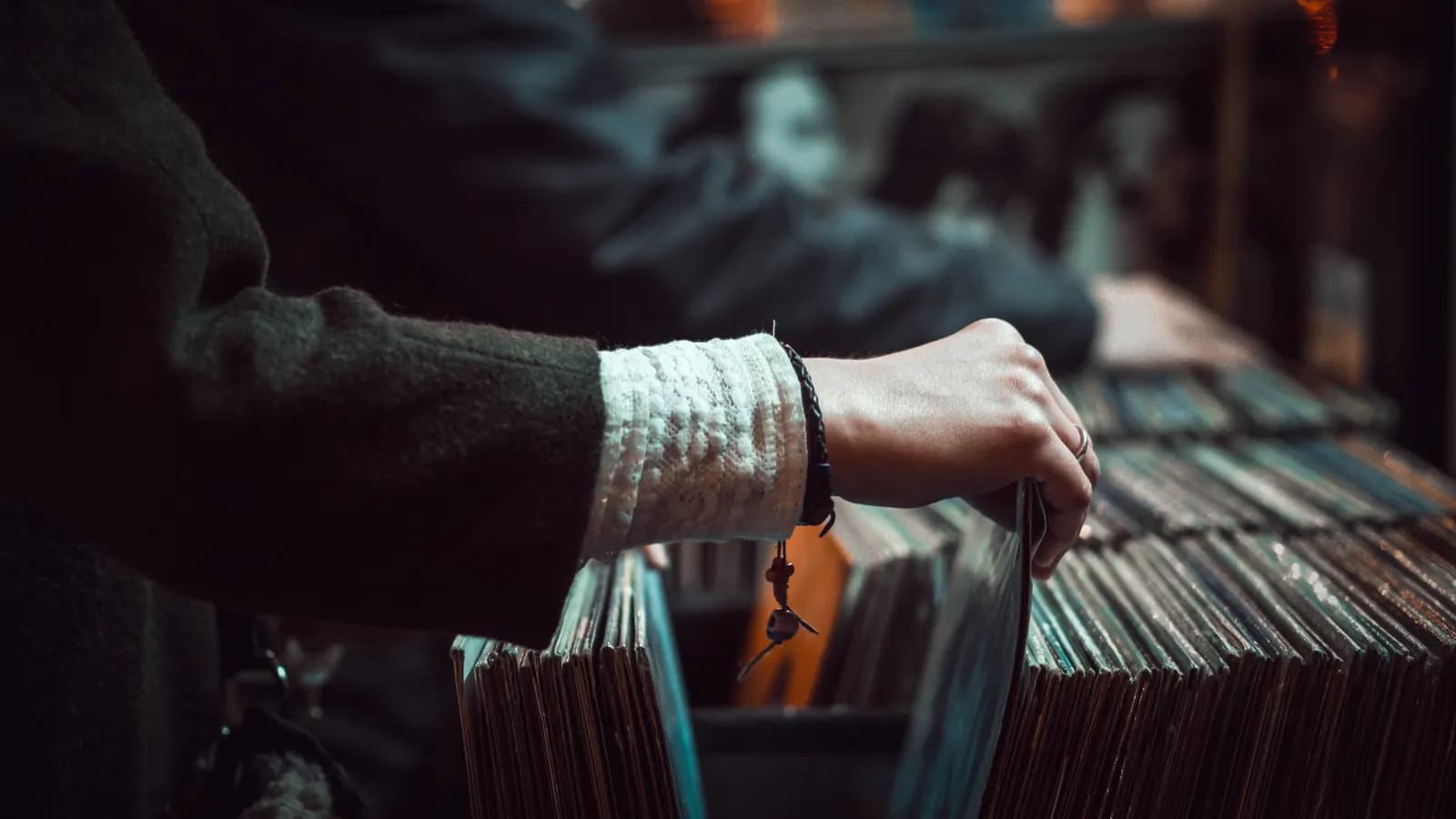
Close view of a person's hands flipping through records in a shop, teal shadows and warm highlights.
The gestureHands doing the thing the site is about.
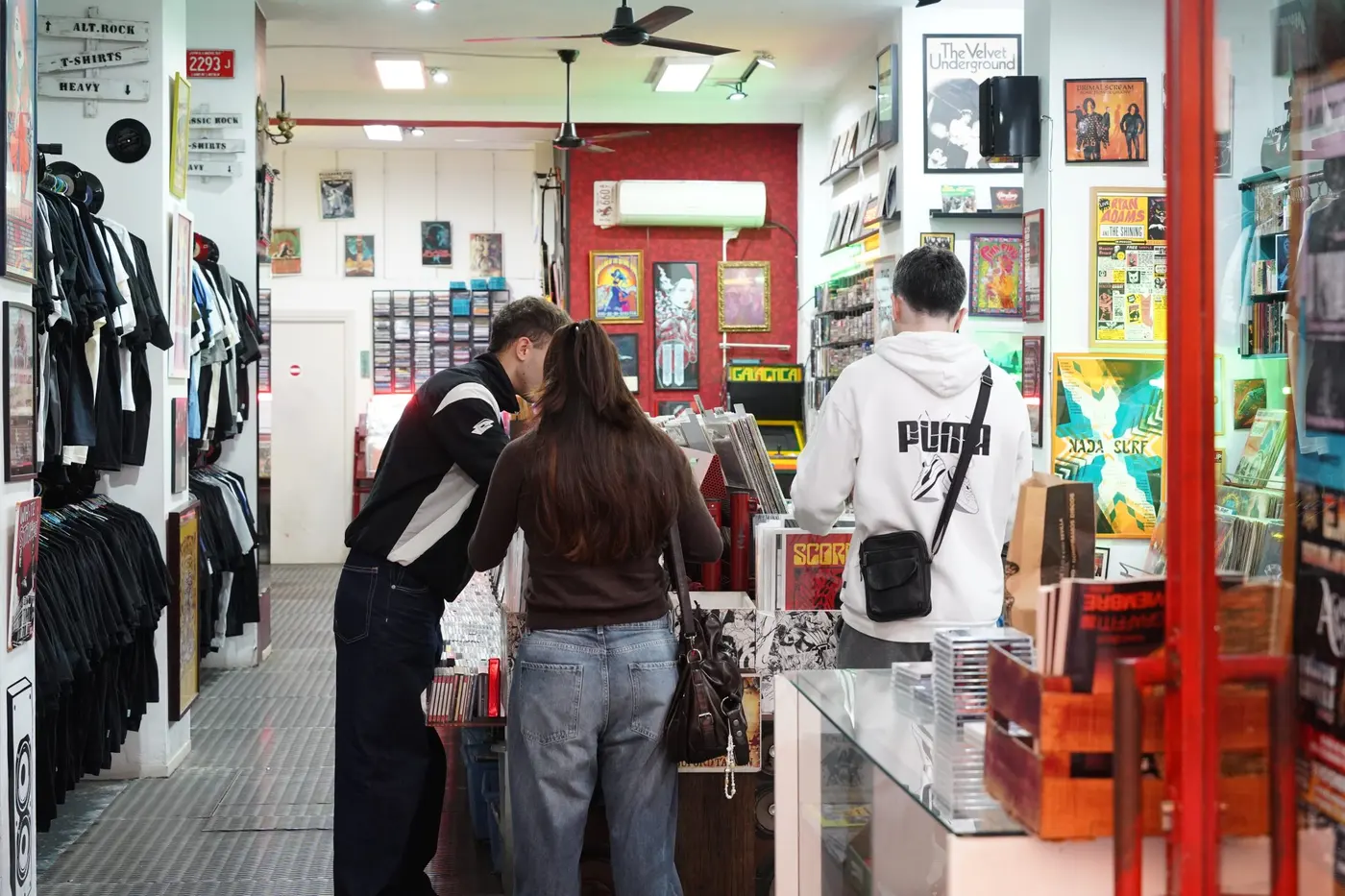
Three people flipping through records in a small record shop hung with posters and band shirts.
The roomReal people, in the room the brand is for.
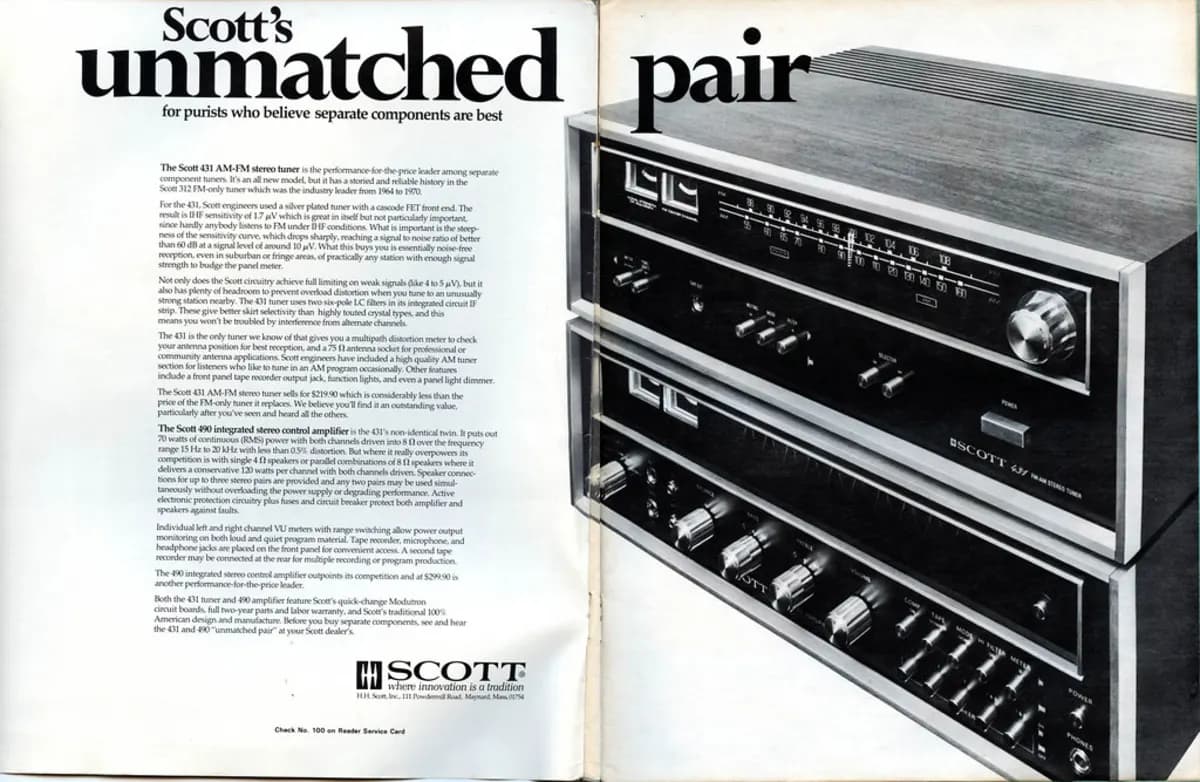
A 1972 magazine spread advertising an H.H. Scott tuner and amplifier, with a bold serif headline and a dense column of body copy.
The voiceHow the era set type when it had to sell.

A retro brand does not need a retro font. It needs this.

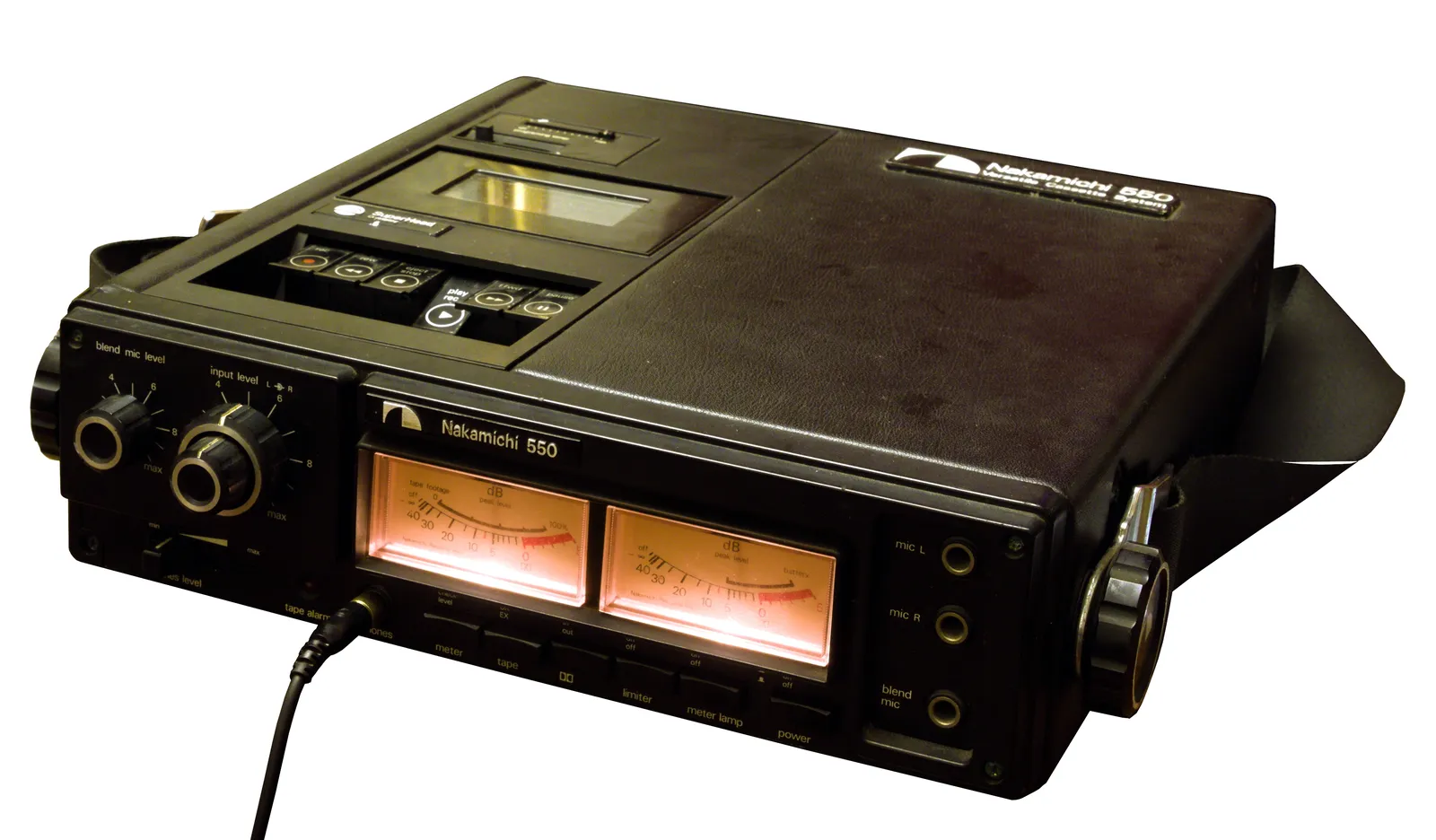
Four parts of one 1974 cassette deck, marked on the photograph. Hover a marker to see what it turned into. The controls underneath are the result, running live.

A Nakamichi 550 portable cassette deck from 1974, photographed on white: textured black panel, chrome transport keys, two detented level knobs, and two amber-lit VU meters.
Nakamichi 550, 1974. Public domain. Four parts, four decisions.

Built from those four parts

Level0 0 : 0 0
-20-10-50+3

Press play. The keys have travel because the real keys had travel, the meter overshoots because the needle overshot, and the amber only appears when something is actually running.

  1. 01

    Name the feeling

    One word, agreed out loud before anything gets collected. Retro. Clinical. Handmade. Industrial. The word is a filter, and without it every reference looks equally good.

  2. 02

    Find the object that already carries it

    A retro business does not need a retro font. It needs the tape deck: brushed aluminum, chunky transport keys with a physical click, a VU needle that overshoots and settles, orange readouts on near black.

  3. 03

    Take the details, not the picture

    The deck is not going on the page. Its parts are. The keys become the buttons, the needle becomes the progress state, the panel becomes the surface, the readout orange becomes the one accent that means live.

  4. 04

    Generate the rest from the seed

    Once a handful of real elements exist, the remaining assets get generated to match: textures, icons, empty state art, social cards. The seed keeps the generated work from drifting back to the default.

This is what the search looks like.

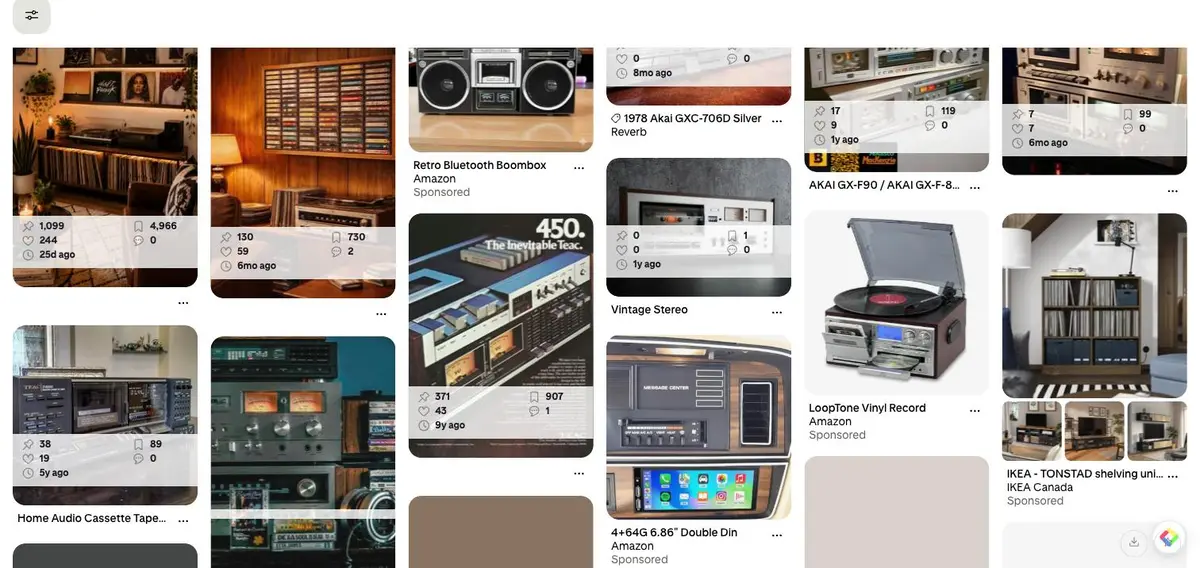
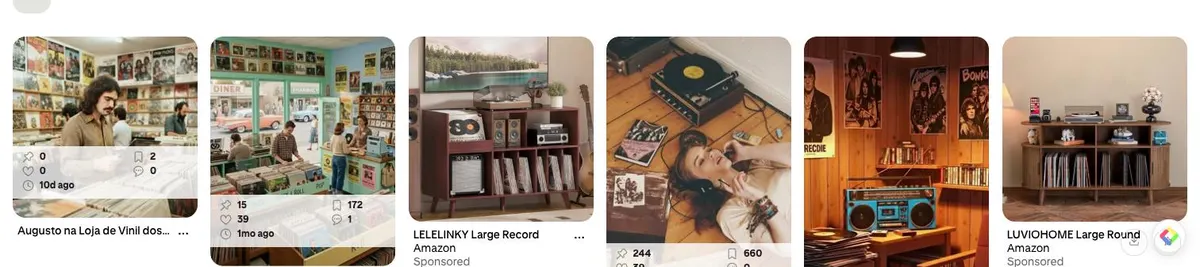
Two real searches, captured this morning. Note what is in them: sponsored furniture, dropship boomboxes, and a few frames that are AI images of decks that never existed. The board is not the deliverable. The four parts pulled out of it are.

Cosmos

Ad free grid, saves into clusters. The closest thing to what Pinterest used to be.

Discovery is strong. It is built to keep the scroll going, so pull what is needed and leave.

Are.na

Blocks and channels, and every block shows the other channels it lives in. Research, not a feed.

Around seventy dollars a year, and heavy users say the same few hundred images circulate.

Savee

Visual bookmarking cut to the bone. A grid, a browser extension, and what other designers saved.

No structure to speak of. That is the point, and it is also the limit.

Pinterest

Still the deepest well for physical objects, interiors, packaging, and old print.

The feed is heavy with ads and AI images of things that do not exist. Verify an object is real before designing from it.

The physical world

A photograph of the actual object. A machine, a sign, a menu, a dashboard, a piece of packaging.

The strongest source and the least used. Nobody else has this reference, so nothing built from it looks like everything else.

A Pinterest search results grid for vintage cassette decks, mixing real vintage hi-fi photographs with sponsored retail listings.
Search one: the object. Half hi-fi, half furniture ads.
A Pinterest search results grid for people in record shops, mixing photographs with AI generated scenes.
Search two: the people. Several of these frames are generated, not photographed.

Then, and only then, generate the rest.

Generation comes last, after the world is decided. A model asked for a retro dashboard with no seed returns the average retro dashboard. A model asked to extend an existing panel, in a stated palette, at a stated angle, returns something that belongs to the page it is going into.

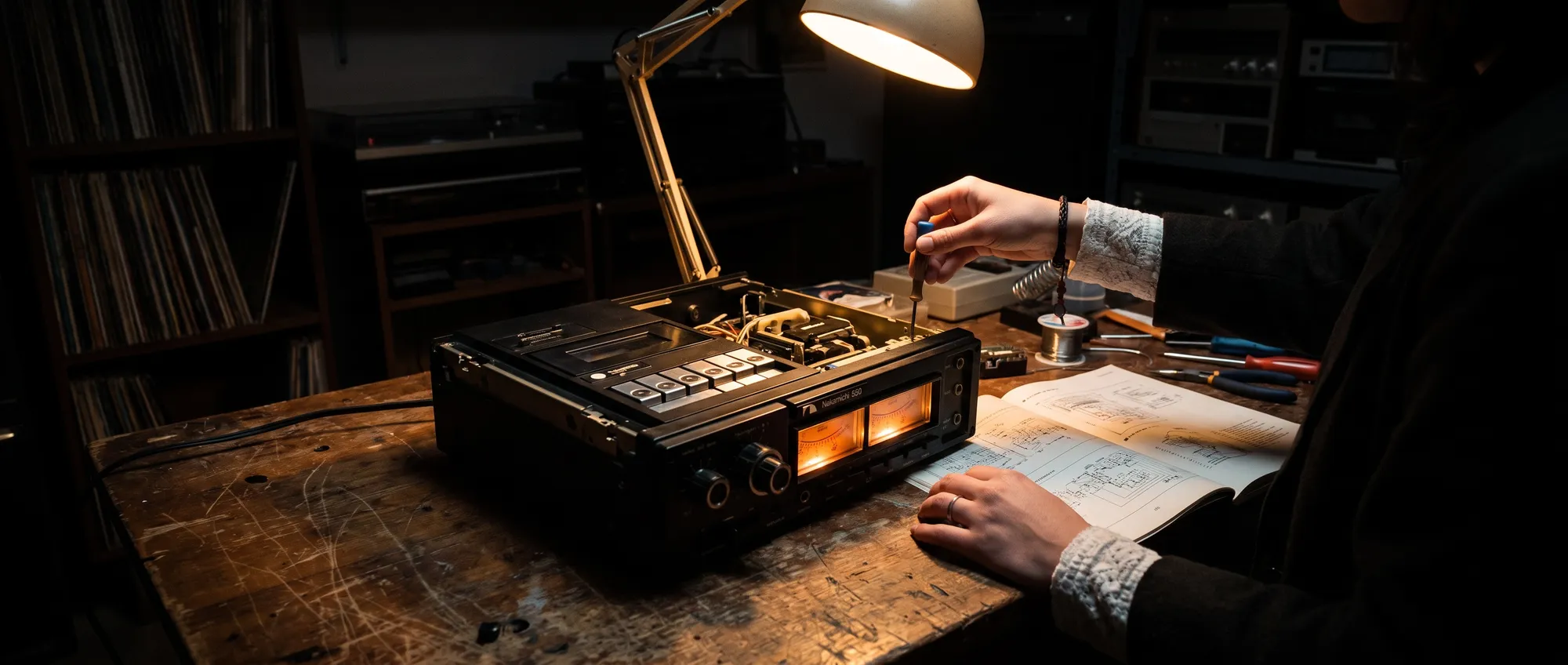
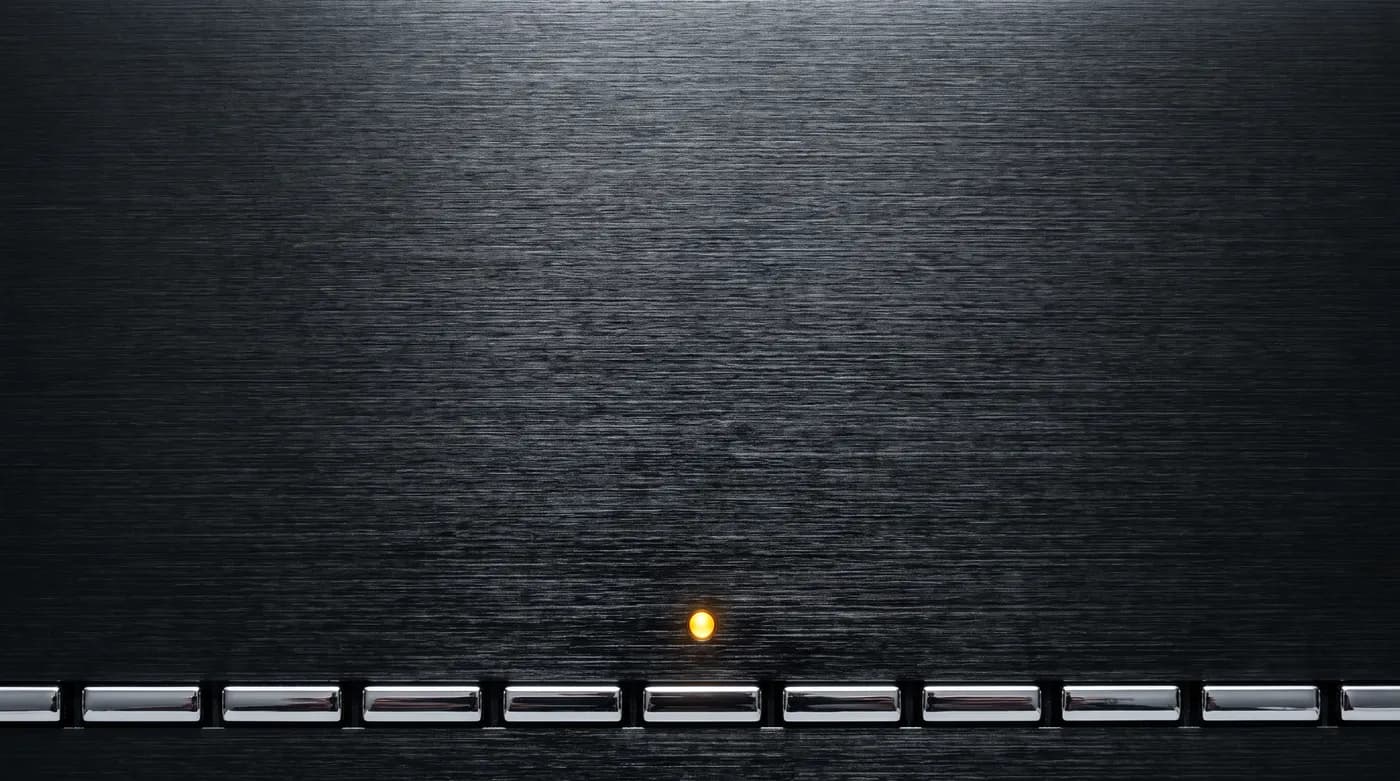
The images beside this were produced that way: Nano Banana Pro, 2k, the two photographs passed in as references, six credits for the set. Cost gets checked before any paid run, and the model gets verified against the live catalogue rather than recalled.

Generated from those photographs

Generated image: a cassette deck open on a workbench under one warm lamp, amber meters lit, a technician's hands with a screwdriver and an open service manual.
Generated image: macro of a brushed dark hi-fi panel with chrome keys along the bottom edge and one amber lamp lit.
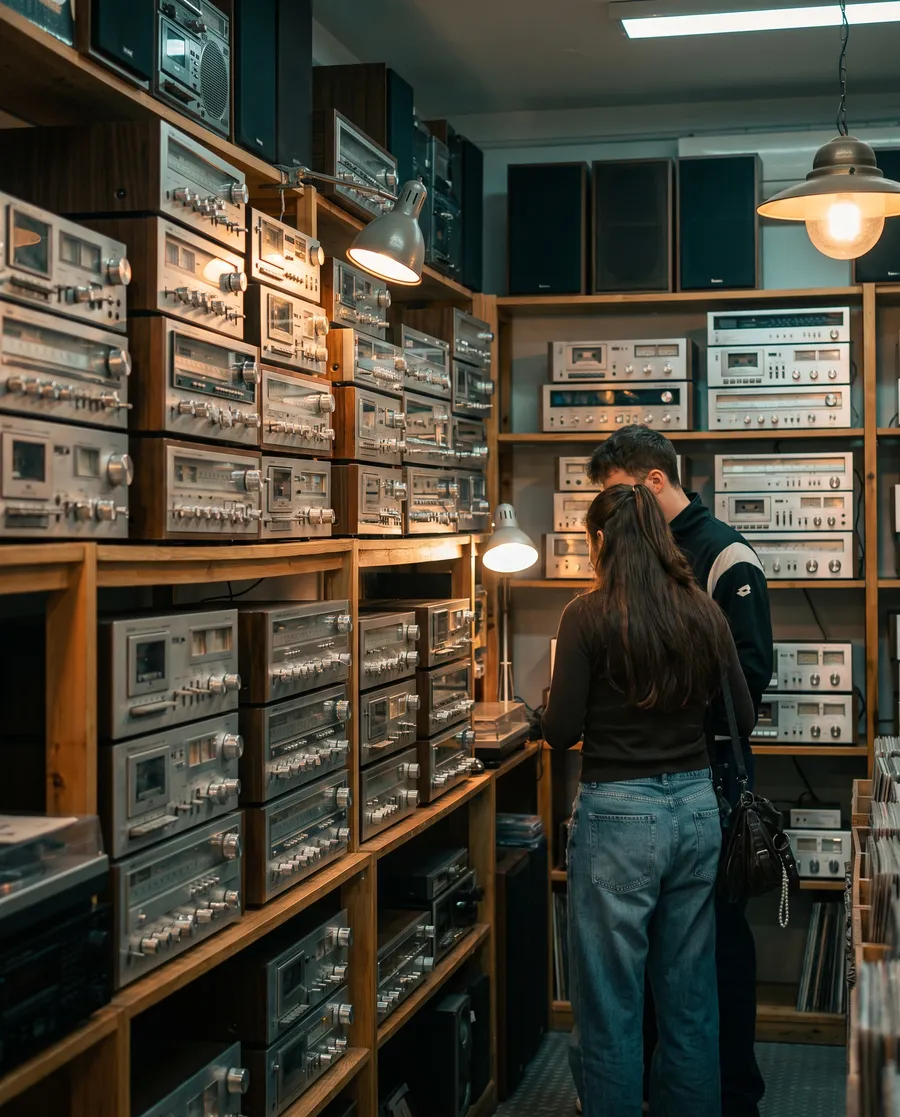
Generated image: the interior of a small vintage audio shop, shelves of receivers, two customers browsing in warm light.

Three images, six credits, one model run with the two photographs above passed in as references. The lamp, the amber meters, and the lace cuff all came from the seed rather than from the prompt. The first one is the hero of the page in the comparison below.

Reference photography, all public domain or CC0, found through Openverse: Nakamichi 550 cassette deck (Wikimedia Commons), hands in a record shop and a record shop interior, and a 1972 H.H. Scott magazine spread. Board captures are screenshots of a live Pinterest search, shown as evidence of the search itself.

Same brief. One of them met the object.

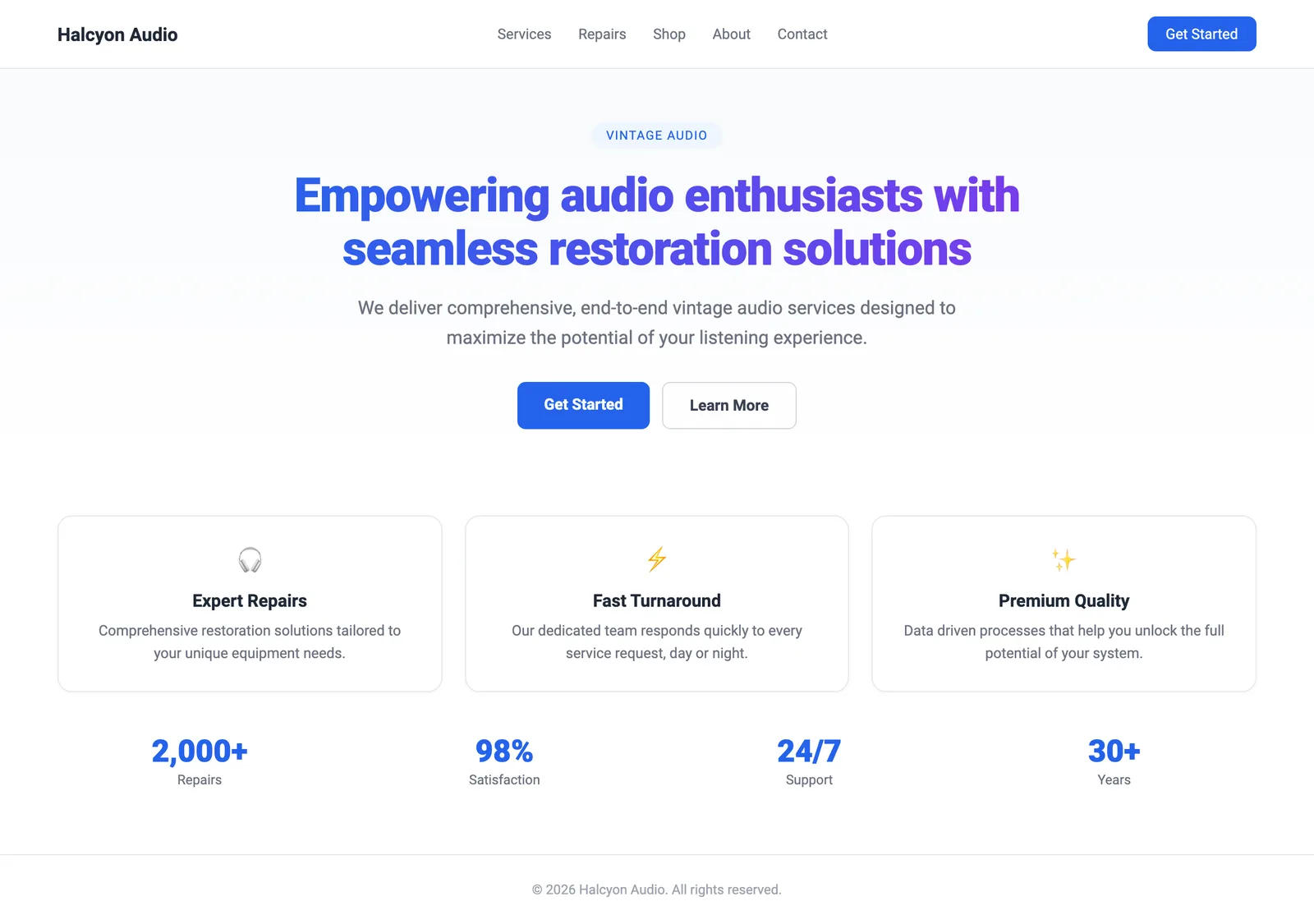
A repair shop for vintage audio, written up once and handed over twice. The slop frame is what a good model returns from that brief on its own: gradient headline, three cards, a button in the blue every framework ships with.

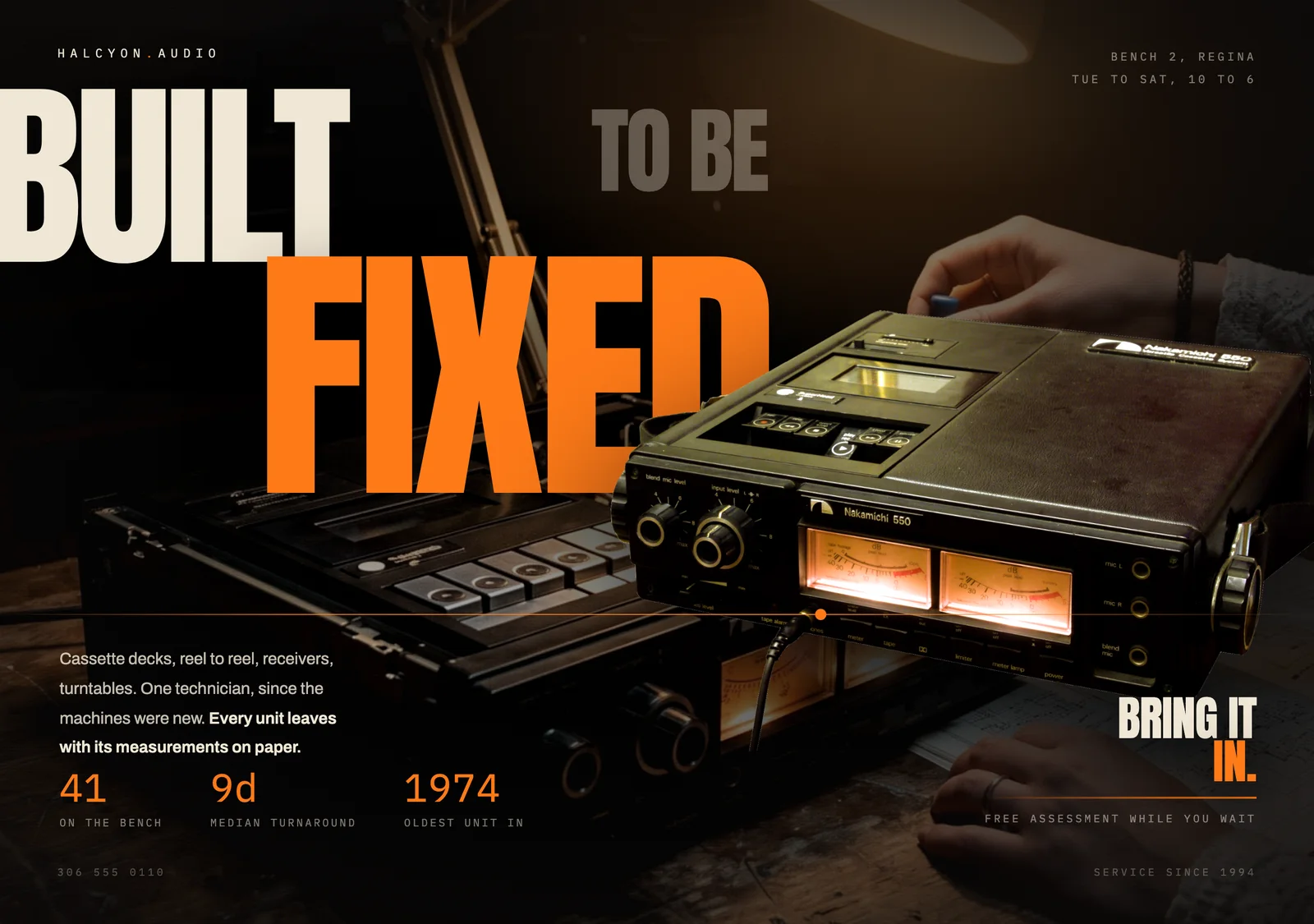
The decided frame had the tape deck in the room. Nothing was added to the brief.

AI slopThe page as a coding agent returns it by default: gradient headline, centered hero, three identical emoji cards.
DecidedThe same page after the lifecycle: a near-black workshop photograph, the deck floating over oversized amber type, one lit needle line.
Halcyon Audio is a demonstration built for this page, not a client site. One brief, one set of facts, two outcomes. On a wide screen, drag the handle or use the arrow keys.
The machine itself becomes

The composition

Cut out of its photograph and floated over the type, so the object is the layout.

The lit VU meters becomes

The only colour on the page

One amber, taken from the meter glass, and the single needle line across the frame.

The counter digits becomes

Every number

Monospaced and amber, set against a display face that runs off the edge.

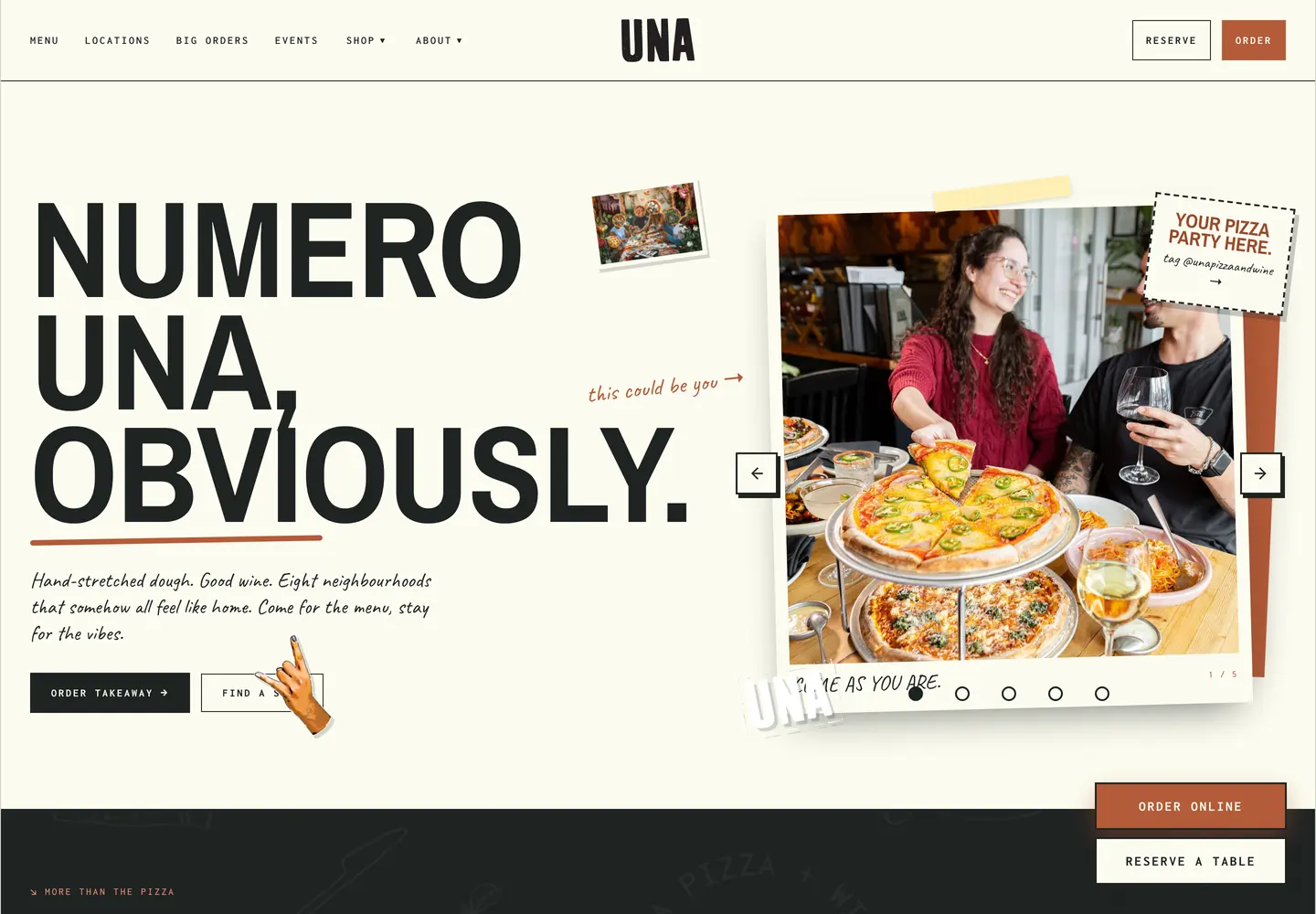
Twelve sites out of this loop. Every one of them is live right now.

Live site for a farm equipment manufacturer.
Live site for a pizza and wine restaurant.
Live site for a mobile crushing and aggregate company.
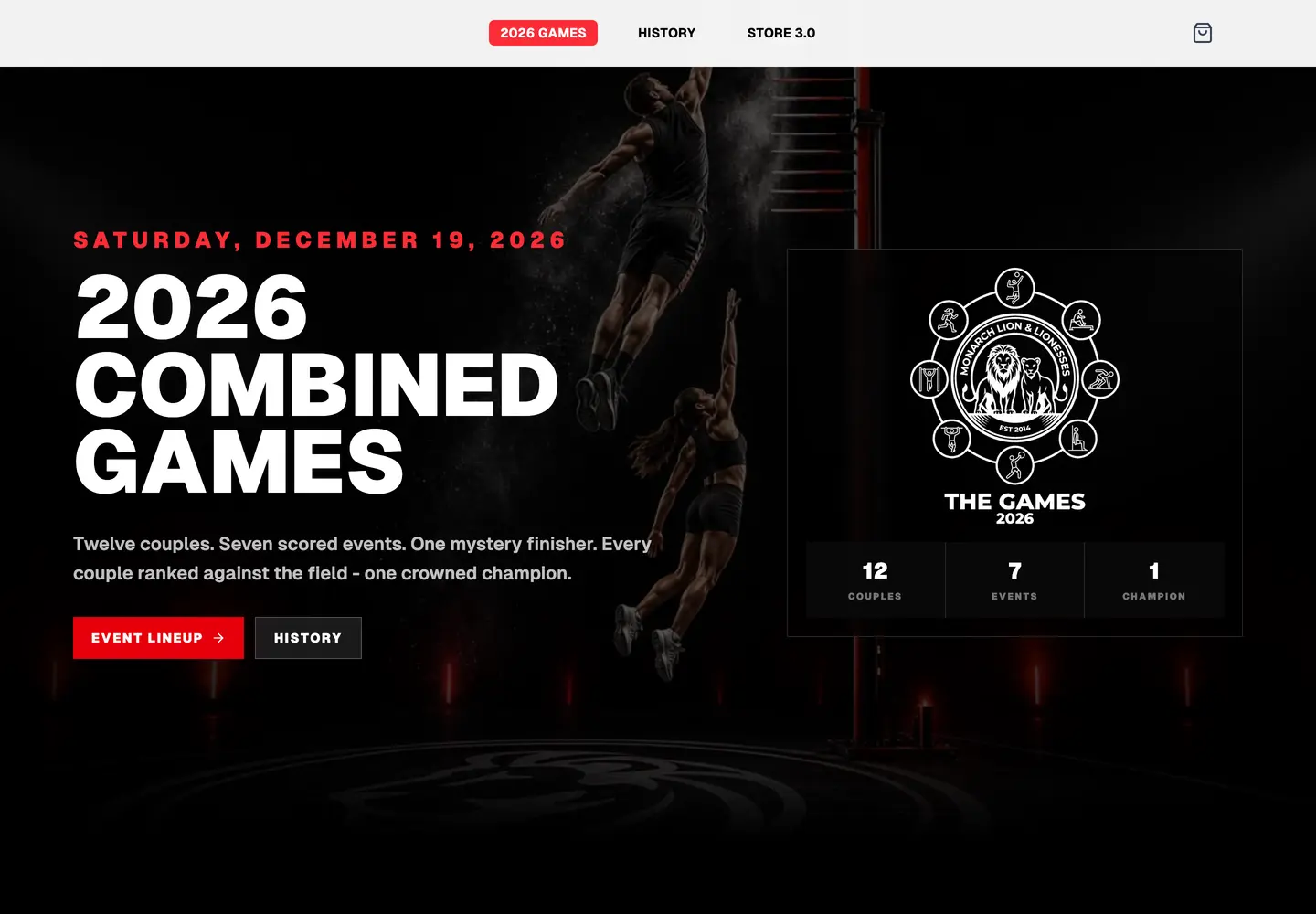
Live site for a games and apparel shop anniversary.
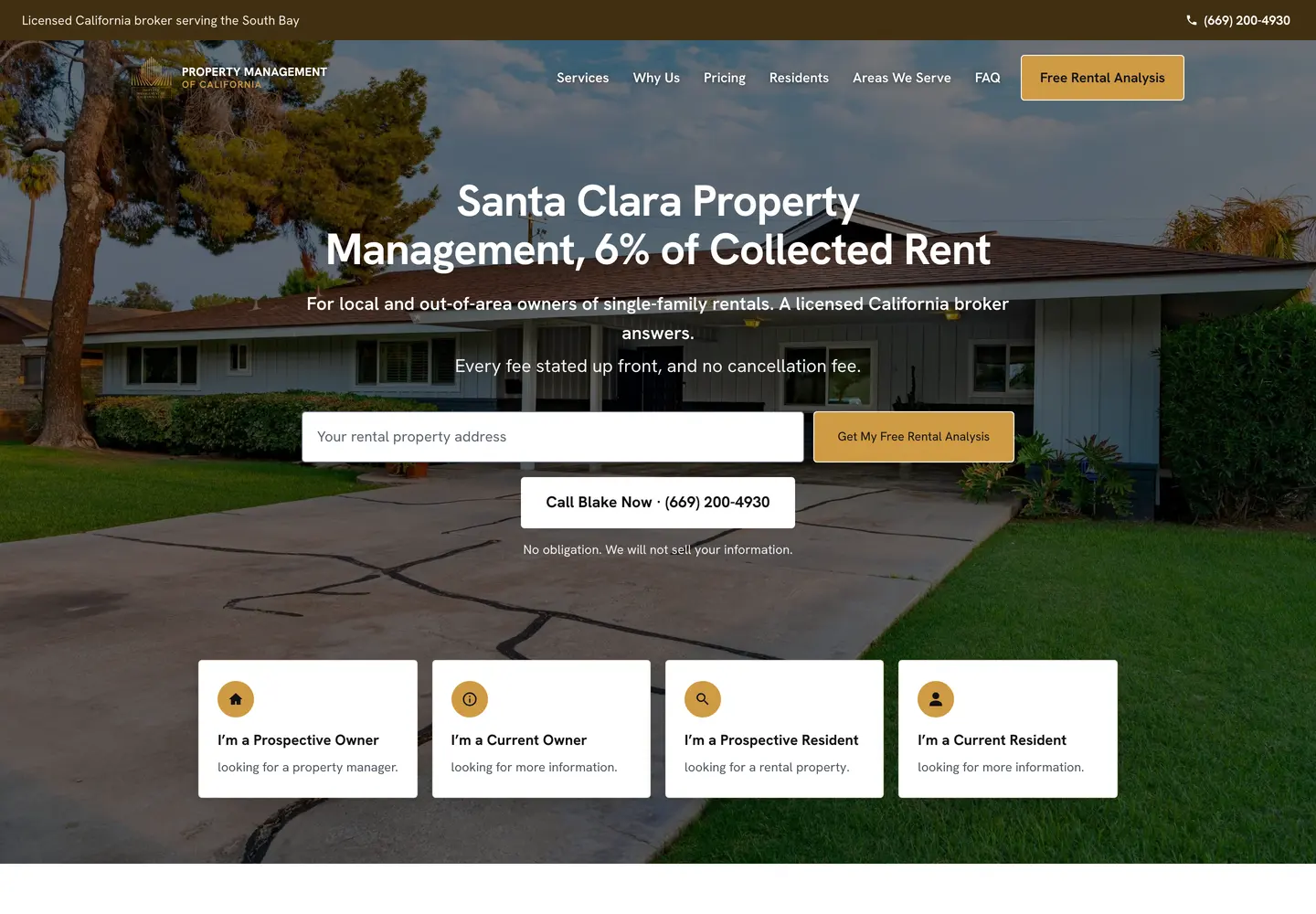
Live site for a property management company.
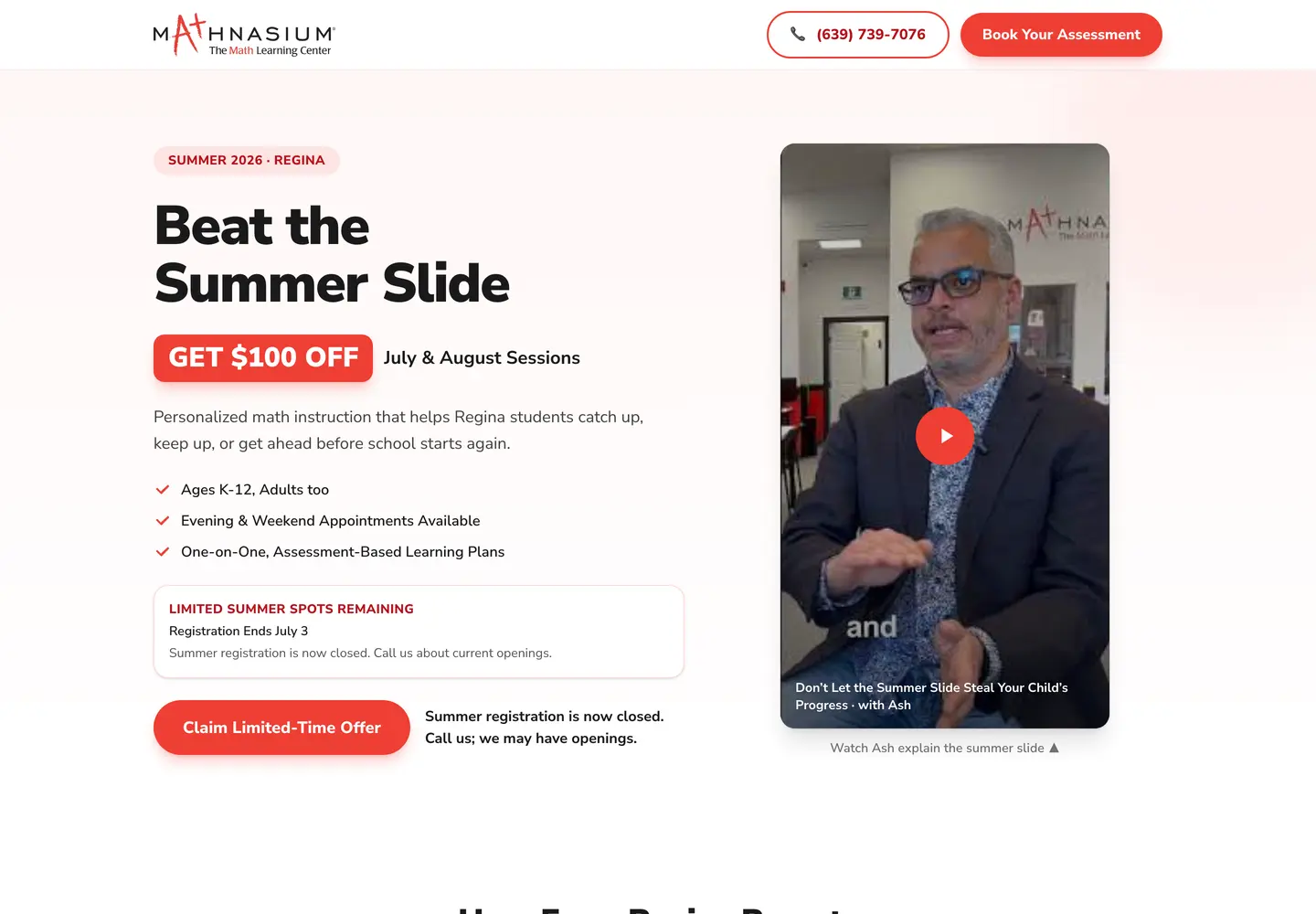
Live landing page for a math tutoring centre.
Live site for a handyman and home repair service.
Live hiring site for a property management company.
Live site for a curiosity podcast made for kids.
Live site for a riding club.
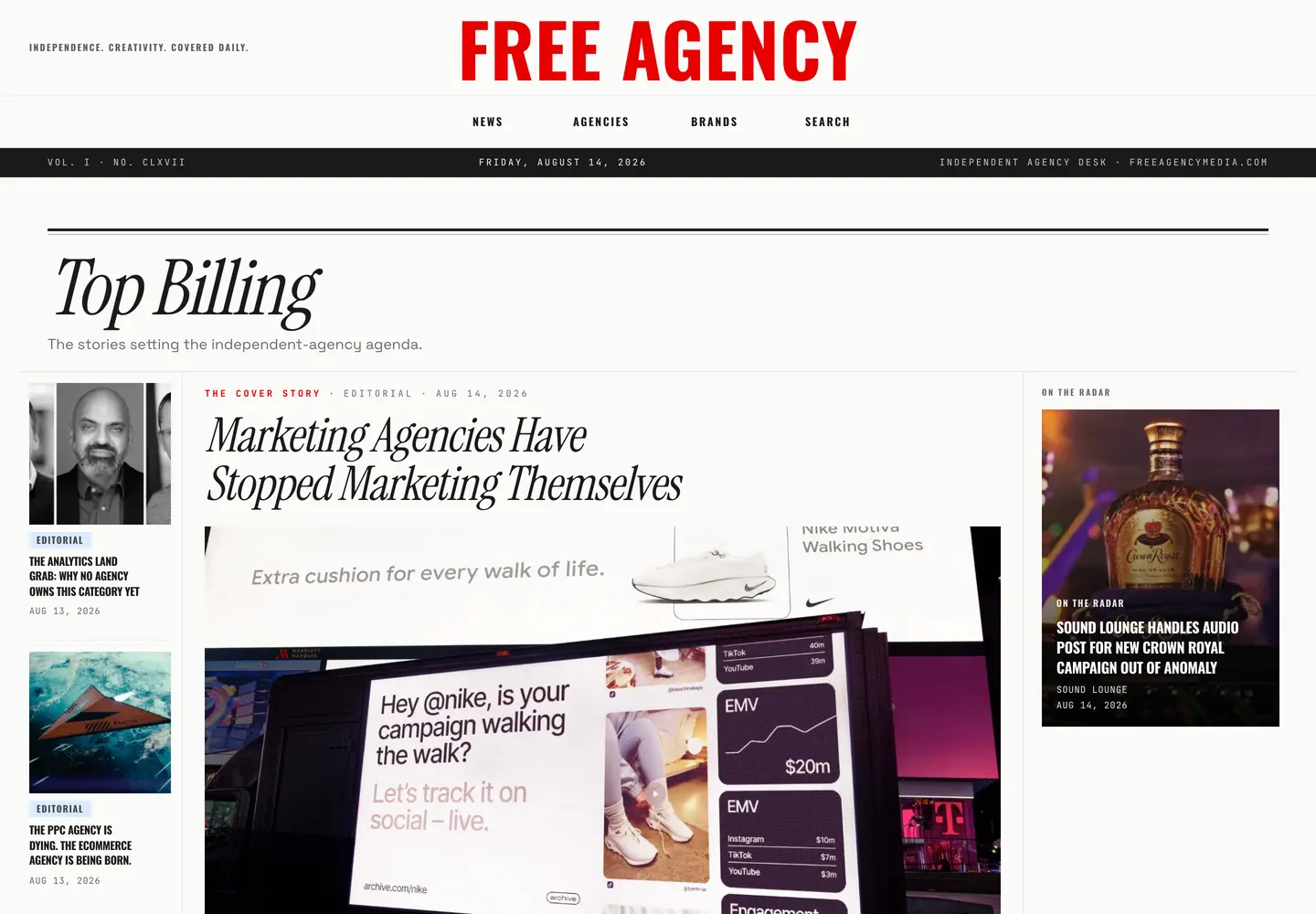
Live directory and publication for a media business.
Live site for a real estate agent.
Live site for a farm equipment manufacturer.
Live site for a pizza and wine restaurant.
Live site for a mobile crushing and aggregate company.
Live site for a games and apparel shop anniversary.
Live site for a property management company.
Live landing page for a math tutoring centre.
Live site for a handyman and home repair service.
Live hiring site for a property management company.
Live site for a curiosity podcast made for kids.
Live site for a riding club.
Live directory and publication for a media business.
Live site for a real estate agent.

Load the references before the first line of markup.

A searchable reference library that loads into the coding agent before the first line of markup. Without it, a model asked for a design returns the average of everything it has seen. With it, the model has named styles, real palettes, and font pairings to argue from.

Installed here and used as a reference layer. It has not shipped a client site, so treat it as vocabulary, not as the workflow.

UI UX Pro Max by nextlevelbuilder
UI styles
79 searchable, 50 active
Color palettes
192, mapped to product categories
Font pairings
74, all from Google Fonts
UX guidelines
119, accessibility included
Chart recommendations
25 types for dashboards
Tech stacks
22, React through SwiftUI
Install in Claude Code or Codex
npm install -g ui-ux-pro-max-cli
Install in Claude Code or Codex
uipro init --ai claude
Install in Claude Code or Codex
uipro init --ai claude --global
Before

Every page starts as the average of every page

A model handed a vague prompt returns the middle of its training data. Centered hero, three feature cards, a soft gradient, a button nobody decided the color of.

The default page. Nothing was chosen, so everything was assumed.

The failure is not the model. The failure is that no decision was recorded anywhere, so the model made all of them at once, invisibly, and moved on.

Everything below exists to move each of those decisions out of the prompt and into a file that survives the session.

01

Write down what is true before anything visual

The first command captures product truth only. Who the user is, what the product does, what may never be invented.

Users
Product purpose
Positioning
Constraints
Brand commitments
Evidence on hand

No colors. No fonts. No page concepts.

PRODUCT.md exists. The page still looks like the default.

PRODUCT.md holds users, purpose, positioning, constraints, brand commitments, and the evidence on hand. It holds no colors, no fonts, no page concepts.

The section that earns its place fastest is the evidence list, because it states what is real and what future work must not fabricate. Installed is not the same as used. Built is not the same as launched.

  • $ /impeccable initInterview, then write PRODUCT.md
02

Name what success looks like on this one surface

Four modes, chosen from the surface rather than the product. A tool's landing page is still Persuade. A fashion house's documentation is still Read.

Persuade
Operate
Read
Experience
This page runs in Read. Comprehension leads, the action closes.

Persuade: the visitor decides and acts. Operate: the visitor completes a task. Read: the visitor understands something. Experience: the visitor is inside the work itself.

The mode decides what the design is allowed to optimize for, which is why it comes before structure. Scanability outranks expression on a dashboard. On a portfolio, the artifact leads and the interface recedes.

Persuade
The visitor decides and acts, and design is the product. Landing pages, marketing, pricing.
Operate
The visitor finishes the task. Scanability outranks expression. App interfaces, dashboards, admin, tools.
Read
The visitor understands something, then wants to stay. Docs, articles, guides, changelogs.
Experience
The visitor is inside the work, and the interface recedes. Portfolios, galleries, showcases.
  • $ /impeccable shapePlan the surface before code
03

Derive several structures, then let a roll pick

Five to seven materially different structures come out of the content and the task, ordered by how well each one resonates.

Four phases stacked
Command index first
Sticky doc spine
Annotated run log
One artifact, walkedassigned
A structure is committed. The page has bones and no skin.

Then a seed script assigns which one gets built. The top-ranked structure is what every run would ship, so the pick comes from outside the model on purpose.

This page was assigned the fifth structure on its own list: one artifact walked through the whole lifecycle, with each stage showing what changed. The obvious structure, four phases stacked in order, ranked second and did not get built.

  • $ /impeccable concept-seedAssign the structure from outside the ranking
04

Inherit the visual world, or replace it on purpose

A new surface inside a site that already has an identity inherits that identity. It does not start a fresh identity exercise.

cream
peach
blue
ink

Bricolage

IBM Plex Sans carries the reading.

The page now belongs to the site it lives on.

This page inherited warm cream, peach, electric blue, near black ink, and the two faces already loaded on the site. None of that was reopened.

A replacement world is a different job. It runs seven candidate worlds drawn from the audience's own visual culture, deals challengers from a catalog, and commits to one, with the durable decisions written into DESIGN.md so the next surface does not drift.

  • $ /impeccable documentRecord the identity already present in code
  • $ /impeccable extractPull reusable tokens and components out
05

Build against a floor, not a vibe

The craft floor is a set of checks on the built result. Contrast ratios, spacing rhythm, a 65 to 75 character measure, real states for hover, disabled, loading, error, and empty.

Real content

hoverdisabledloadingerrorempty
A real page, with real states, at every breakpoint.

It also names the defaults to refuse. Same-size cards of icon, heading, and text as the page structure. Gradient text. A label floating above every heading. Emoji standing in for an icon system.

The most-skipped check is the browser surface nobody drew: text selection, the caret, the scrollbar, the focus ring, the underline offset. Those ship with defaults that belong to no design system.

  • $ /impeccable hardenErrors, empty states, edge cases, i18n
  • $ /impeccable adaptMake it hold at every screen size
06

Push one axis at a time

Each enhance command owns one axis, which is what keeps a pass from turning into a rewrite.

Scale

steps

and one authored moment of motion.

The page has a voice instead of a template.

Typography, color, spacing, and motion each get their own command, and the motion rule is one authored moment rather than an entrance animation bolted onto every section.

The direction commands are the honest ones. A design that came out timid gets bolder. A design that came out loud gets quieter. A design carrying three ideas gets distilled down to the one that was working.

  • $ /impeccable typesetHierarchy, scale, and the faces themselves
  • $ /impeccable colorizeStrategic color into a flat interface
  • $ /impeccable layoutSpacing, rhythm, visual hierarchy
  • $ /impeccable animatePurposeful motion, one authored moment
  • $ /impeccable bolderAmplify a safe or bland result
  • $ /impeccable quieterCalm an overstimulating one
  • $ /impeccable distillStrip back to the essence
07

Inspect once, in a batch, then stop

Verification runs as bounded passes. Build fully, inspect once across desktop and mobile together, fix everything that round shows, confirm with at most one more round.

contrastpass
measure 65 to 75chpass
focus ring themedpass
gradient textfixed
card grid as structurefixed
A findings list, then one batch of fixes, then done.

Open-ended self-review is the expensive failure here. It burns hours doing worse what one batched round plus a mechanical detector does in minutes.

The detector is the part that does not negotiate. It scans the changed files for the banned patterns and reports them as findings, so the fix list is mechanical rather than a matter of taste.

  • $ /impeccable critiqueDesign review with heuristic scoring
  • $ /impeccable auditAccessibility, performance, responsive checks
  • $ /impeccable clarifyFix the copy, labels, and error messages
08

Keep the next page from drifting

Decisions that stay in a chat window are gone by the next session. Decisions written into the design system are what the next surface inherits.

--background--primary--secondary--foreground--border--radius--muted--ring--accent
The system outlives the session that produced it.

A hook can run the detector automatically after any UI edit, so drift gets caught at the moment it is introduced rather than at review.

The doctor command reports what has gone stale between the product record, the design system, and the surface briefs. It reports rather than repairs, because repairing drift as a side effect of a design task is how a system quietly changes under someone.

  • $ /impeccable doctorReport drift across the design artifacts
  • $ /impeccable hooksRun the detector automatically on UI edits
  • $ /impeccable polishThe last pass before shipping

The whole command surface, in the order work actually moves.

Twenty three commands, version 4.0.4. Each one owns a single axis, which is what stops a pass from quietly turning into a redesign.

Build

/init
Capture durable product context in PRODUCT.md
/shape
Plan the interface before writing code
/document
Generate DESIGN.md from the existing code
/extract
Pull reusable tokens and components into the system

Evaluate

/critique
Design review with heuristic scoring
/audit
Accessibility, performance, and responsive checks

Refine

/polish
Final quality pass before shipping
/bolder
Amplify a safe or bland design
/quieter
Tone down an aggressive design
/distill
Strip to the essence, remove complexity
/harden
Errors, i18n, and edge cases
/onboard
First run flows, empty states, activation

Enhance

/animate
Add purposeful motion
/colorize
Add strategic color to a flat interface
/typeset
Improve typographic hierarchy and fonts
/layout
Fix spacing, rhythm, and hierarchy
/delight
Add personality and memorable touches
/overdrive
Push past conventional limits

Fix

/clarify
Improve copy, labels, and error messages
/adapt
Adapt for other devices and screen sizes
/optimize
Diagnose and fix interface performance

Iterate

/live
Pick elements in the browser, generate alternatives
/doctor
Report drift across the design artifacts

Install it and run the first stage today.

Impeccable is free and open source, written by Paul Bakaus. Run the installer from a project root, then run the first command inside the coding agent.

Install in Claude Code or Codex
npx impeccable install
Install in Claude Code or Codex
/plugin marketplace add pbakaus/impeccable
Install in Claude Code or Codex
npx impeccable update

Or hand the whole cycle to someone who runs it weekly.

We run this on client sites, from the product record through to the batched inspection. Bring a page that is not converting, or a brand with no system behind it.

Book a call